
IPTV Free Trial UK: What to Test in Your 24 Hours

A proper IPTV free trial is the single best way to judge a UK provider — not reviews, not channel-count claims, not screenshots. Twenty-four hours on your own TV, on your own broadband, at your own peak viewing times tells you everything. This guide shows you exactly how to use a trial like a professional reviewer would, what good looks like, and the red flags that should stop you paying.
Why the free trial matters more than anything a provider says
Every IPTV service performs differently on different broadband lines, routers and devices. A service that runs perfectly for your friend across town can stutter on your setup. That is why StreamVista offers a 24-hour free trial with no payment details — if a provider will not let you test first, or asks for card details “just to activate the trial”, treat that as your first warning sign. More checks like this are in our guide to choosing a legal IPTV UK provider.
1. Test at peak time, not at 2pm
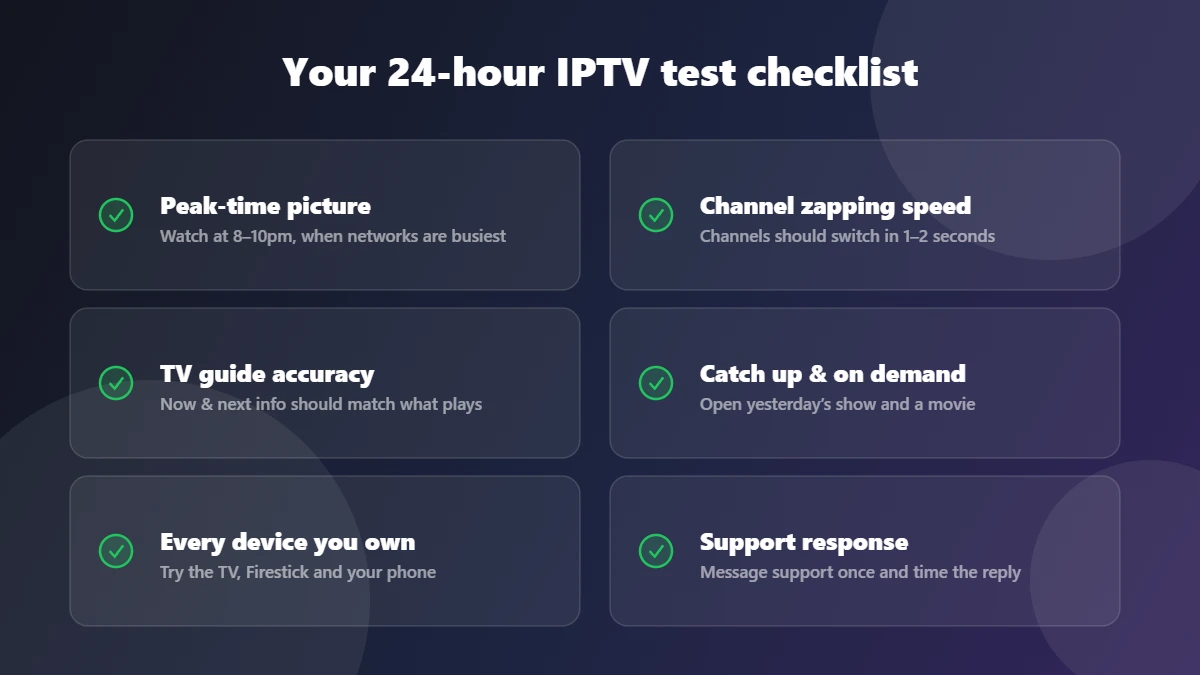
UK networks are busiest between 8pm and 10pm, and that is when weak services fall over. Whatever time you activate your trial, make sure you watch live TV during the evening peak. Pick a fast-moving channel — sport or news — and leave it running for 20 minutes. The picture should stay sharp with no freezing or stuttering. If it buffers, check your own line first with a speed test (10 Mbps for HD, 25 Mbps for 4K) so you know whether the problem is the service or the broadband.
2. Flick through channels like you actually would
Channel switching (“zapping”) speed is the clearest sign of server quality. On a well-run service, channels load in one to two seconds. Flick through twenty channels in a row — slow loading on every switch means overloaded servers, and it will only get worse after you pay.
3. Check the TV guide against reality
Open the EPG and compare it with what is actually playing on three or four channels. A guide that says one thing while another show plays is the mark of a carelessly run service. While you are there, test catch up: open a programme from yesterday and make sure it plays from the start. StreamVista includes 14-day catch up on supported channels, so there is plenty to test.
4. Try every device you will actually use
Your trial login works on all your devices, so use them: the living-room Smart TV, the Firestick in the bedroom, your phone on 4G for the commute. Check that favourites and continue-watching sync between them. Our devices guide covers what to expect from each screen.
5. Message support — once, on purpose
Send the support team one real question during your trial and time the answer. You are testing the thing you will rely on when something goes wrong at 9pm on a Saturday. StreamVista support runs 24/7 on WhatsApp; any serious provider should answer within minutes, in plain English, without a ticket queue.
Red flags that should end the trial early
- Card details demanded before the trial starts
- Gift cards or crypto as the only payment methods
- Promises of every premium sports match for a few pounds — that content is not theirs to sell
- No working support during the trial — it will not improve after you pay
- Channels that die at peak time every evening
Passed every test? Here is what to do next
If the service held up for 24 hours, pick the plan that fits: StreamVista plans run 1, 3, 6 or 12 months with identical features — longer plans just cost less per month. You keep the same login, so there is nothing to reinstall; your trial simply becomes your subscription. Start your free trial here — it takes a name and an email, nothing more.
Free trial FAQs
Do I need to enter card details for the StreamVista trial?
No. The 24-hour trial needs only your name and email. It expires on its own — there is no auto-charge because there is nothing to charge.
How long does trial activation take?
A few minutes. We send your login details by email or WhatsApp, and free setup help is included if you get stuck on any device.
Can I test 4K during the trial?
Yes — the trial includes everything the paid plans include, Full HD and 4K included. Just make sure your line manages about 25 Mbps for 4K streams.