
IPTV Not Working? 10 Common Errors and Fixes (UK)

IPTV not working rarely means something is broken — in most cases it is one of ten familiar problems, each with a two-minute fix. This guide covers all ten in the order we see them in support, so you can work down the list and be watching again before the kettle boils. StreamVista customers can skip to 24/7 WhatsApp support at any point — but most of these you can fix faster yourself.
1. Buffering every evening around 8pm
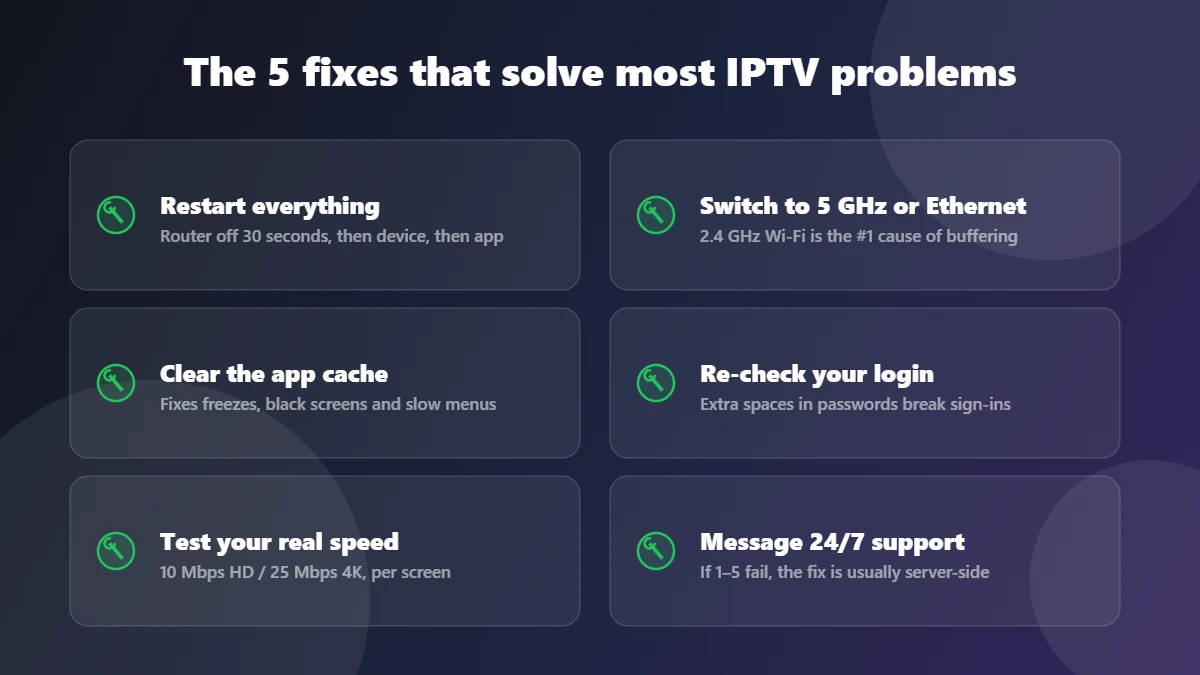
Classic peak-time congestion. Switch the device to 5 GHz Wi-Fi or Ethernet, pause downloads and game updates, and check your real speed at peak. If your line tests fine and it still buffers, tell support — capacity on our side is our job, not yours. Deeper fixes: why fast UK fibre still buffers.
2. Constant buffering at all hours
Run a speed test on the streaming device itself (not your phone by the router). Under 10 Mbps for HD or 25 Mbps for 4K is a broadband problem — our internet speed guide shows what each screen needs. Above those numbers, clear the app cache and restart the router.
3. App opens but channels will not load
Usually a stale session. Close the app fully, restart the device, open and sign in again. Still stuck? Your subscription may have lapsed — check your renewal date, or message support and we will check instantly.
4. Black screen with sound (or picture with no sound)
A decoder hiccup. Switch channel and back, then restart the app. On Firesticks, also try Settings > Display & Sounds and set audio to Stereo — some TVs mishandle surround passthrough.
5. “Invalid login” or endless sign-in loop
Nine times out of ten it is a typo or a copied space. Type the password manually, watch capitals, and never copy-paste from the welcome message with a trailing space. Locked out anyway? Support can reset you in minutes, 24/7.
6. Channels freeze for a few seconds then resume
Micro-freezes are packet loss, usually Wi-Fi interference. Move the router away from baby monitors and microwaves, switch to the 5 GHz band, or run an Ethernet cable. A weekly router restart helps more than people expect.
7. Picture looks soft or drops to SD
Adaptive streaming is protecting you from a slow connection by lowering quality. Fix the bandwidth (see 2 and 6) and the stream climbs back to HD/4K on its own.
8. The TV guide (EPG) is empty or wrong
Force-refresh the guide in the app settings, or sign out and in — the EPG re-downloads. If one specific channel’s guide stays wrong, report it; that is fixed on the server side.
9. Catch up will not play on a channel
Catch up runs on supported channels for 14 days. If a supported show will not load, restart the app first, then report the channel name and programme to support so it can be reindexed.
10. Everything works except one device
Reinstall the app on that device and sign in fresh. For Firesticks, clear the cache first (Firestick guide); for Samsung/LG TVs see the Smart TV guide.
When it is genuinely not your fault
If your speed tests pass, the cache is clear and two devices show the same problem, the issue is server-side — and that is on the provider. This is exactly why we tell people to test a service properly on a free trial before paying: a provider’s peak-time stability and support speed are visible within 24 hours. StreamVista runs anti-freeze capacity for peak evenings and a human support team around the clock; if something on our side breaks, we say so and fix it.
Prevent 80% of problems with 3 habits
- Restart your router and streaming device once a week.
- Keep the streaming device on 5 GHz Wi-Fi or Ethernet, never 2.4 GHz.
- Clear the app cache on the first of the month — it takes one minute.
Not a customer yet? Start with the 24-hour free trial and see how a properly run service behaves, or compare plans here.
Troubleshooting FAQs
Why does my IPTV buffer only at night?
Evening is peak load for both your broadband provider and streaming servers. If your own line tests fast at 9pm, the bottleneck is the IPTV provider’s capacity — a reason to choose services that invest in peak-time infrastructure.
Will a VPN fix IPTV buffering?
Rarely. A VPN adds a detour, which usually makes buffering worse. The exception is a broadband provider that throttles video traffic — uncommon in the UK on major networks.
How do I contact StreamVista support?
Through the WhatsApp button on any page of this site — 24/7, humans, average reply in minutes. Include your device type and what you have already tried and we fix it faster.